Visual Browser Automation for Windows
Scrape, Test, and Automate — With Browsers You Can See
Stop debugging headless browsers blind. MetaDock gives you a full REST API, WebSocket events, Selenium WebDriver, and MCP for AI — all controlling real browser sessions visible on your desktop.
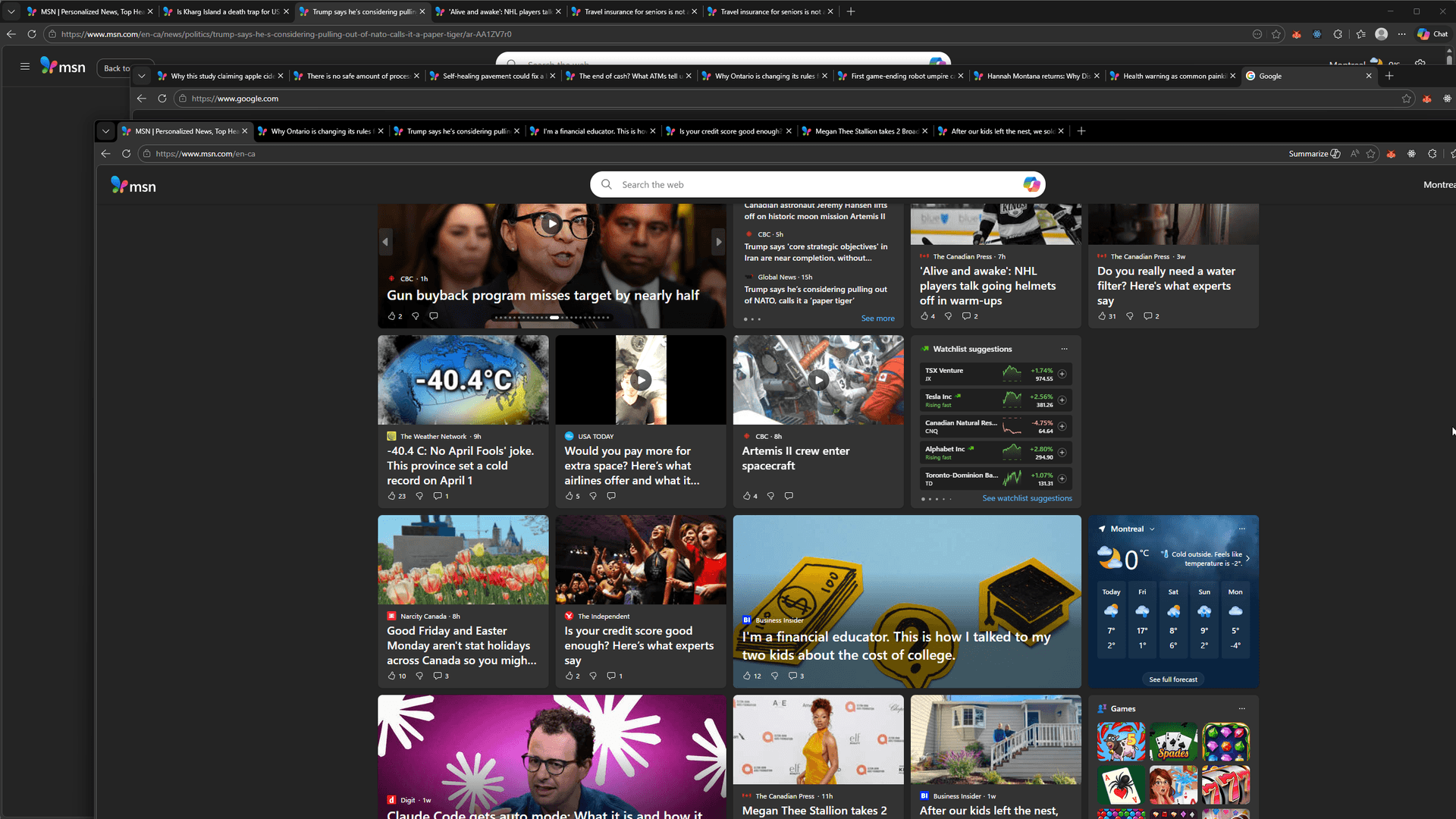
See what your automation sees.
 198.51.100.14
 203.0.113.72
 100.24.58.191
 51.142.89.203
 142.93.12.88
 91.134.200.1544.208.55.6
 103.6.84.210
Capabilities
What you get
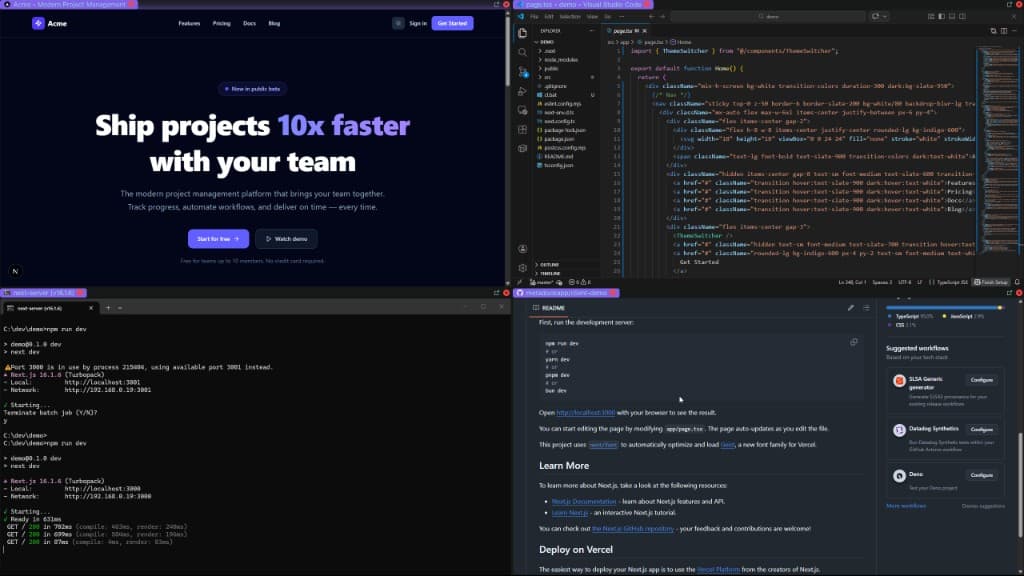
Efficient debugging layouts
Editor, browser, DevTools. All visible. No switching.
Multi-monitor dev setups
Code left. Preview right. Terminal below.
Instant resizing
Drag borders. Layouts adapt. Your workflow.
Context switching without friction
Save layout. Restore. Same setup every time.
Headless browsers are blind.
Debugging automation you cannot see. Screenshots and logs instead of watching it run.
Cloud browser costs ballooning with usage-based billing surprises.
Flaky Selenium tests because you can't observe what's happening.
No visual feedback when your scraper hits a captcha or layout change.
Why MetaDock
Steam reviews
What people are saying
“So far this software has some excellent features and a promising future. The ability to have a highly custom interface, completely detached from windows explorer.exe, gives this software a wide range of application.”
“Brilliant software. Main use case for me is the ability to resize windows that can't usually be resized. I'm able to do almost as much on 2 monitors now as I could on 3.”
“I don't understand how this software is free. This tool is amazing! Great job developer!”
Built for Developers
Visual browser automation you can actually see. Full REST API, WebSocket, Selenium, and AI control via MCP on all plans.
Windows 10/11 only. macOS coming soon.
Not sure what these features do? See the full breakdown →
14-day money-back guarantee
Try any plan risk-free. Full refund within 14 days if not satisfied.
Cancel anytime
No lock-in. Stop your subscription whenever you want.
Local-first data
Layouts, profiles, and browsing data stored locally. No cloud sync.
FAQ
For developers
Your IDE, browser, terminal. One screen.
14-day money-back guarantee. Quick setup. Windows 10/11.